Business
Motivation mindset
by Mo saheel
3 chapters1.2 hr read

Chapter 1
Foundations of Remote Leadership
Why Remote Leadership Demands a Different Approach
Remote work isn’t just a change of location—it’s a fundamental shift in how leadership functions. When Alex Rivera transitioned from managing an in-person team to leading a fully remote group at their tech startup, they quickly realized that the habits that served them well in the office no longer worked. Without the ability to see who was at their desk, overhear a problem being solved, or share a quick coffee chat, Alex began to feel disconnected—not just from the team, but from their own effectiveness as a leader.
This disorientation is common among first-time managers navigating remote leadership for the first time. The absence of physical proximity doesn’t just change where work happens; it alters how trust is built, how performance is perceived, and how emotional cues are interpreted. To lead effectively in this environment, you must recognize that remote leadership demands not new skills alone, but a different mindset—one that replaces reliance on spontaneous interaction with intentional design.
The Proximity Bias Effect and Its Hidden Costs
Proximity bias—the tendency to favor those who are physically closer—doesn’t disappear in remote work; it transforms. When you can’t see someone working, you may unconsciously assume they’re less engaged or productive, even when their output tells a different story. This bias distorts performance evaluations, meeting participation, and access to opportunities, often penalizing those in different time zones or with caregiving responsibilities.
For example, Alex noticed that during virtual stand-ups, team members who joined late due to time zone differences were frequently overlooked when assigning action items. Despite delivering high-quality work asynchronously, they were perceived as less involved. Over time, this led to quieter participation and declining morale—not because of performance, but because of unseen bias.

The cost isn’t just unfairness; it’s erosion of psychological safety. When team members feel their efforts are unseen or undervalued, they disengage. To counter proximity bias, you must actively decouple presence from performance. Start by auditing how you assign credit and visibility: Are you recognizing contributions based on actual outcomes, or on who spoke up last in a meeting? Use data—such as task completion rates, code commits, or project milestones—to ground assessments in observable results rather than proximity.
Three Emotional Labor Costs of Remote Leadership
Leading remotely increases the invisible work you carry as a manager. Three specific emotional labor costs emerge consistently: monitoring anxiety, connection fatigue, and contextual blindness.
Monitoring anxiety is the persistent worry that you’re not seeing what you need to see to lead well. Without hallway conversations or desk drops, you may feel compelled to over-check in, schedule excessive meetings, or request constant updates—not because the team needs it, but because you lack trust in the flow of information. Alex found themselves sending Slack messages at 8 p.m. just to “see if anyone was still awake,” driven by fear of missing a burning issue.
Connection fatigue arises from the effort required to maintain relationships without the benefit of spontaneous interaction. Building rapport remotely takes more deliberate energy—planning virtual coffees, remembering personal details, and initiating check-ins that would happen naturally in person. After weeks of back-to-back video calls with no downtime, Alex felt drained, not from workload, but from the sustained effort to simulate closeness.
Contextual blindness occurs when you miss the subtle environmental cues that inform understanding in person. You don’t see someone struggling to focus amid a noisy home, notice frustration in a slumped posture during a call, or overhear a concern whispered between colleagues. This gap can lead to misjudging readiness, missing early signs of burnout, or failing to adjust support when it’s needed most.
These costs aren’t signs of failure—they’re signals that your leadership approach needs adaptation. Acknowledge them not as weaknesses, but as data points guiding where to invest in better systems and self-awareness.
Conducting a Personal Leadership Audit
To begin shifting your approach, start with a personal leadership audit: a structured reflection on how much you currently rely on in-person cues to lead. This isn’t about self-criticism—it’s about mapping your defaults so you can intentionally replace them.
Ask yourself:
- When I assess someone’s engagement, what specific behaviors am I observing? (e.g., camera on, speaking up, response time)
- What assumptions do I make when I don’t see someone working during core hours?
- How often do I initiate contact because I’m anxious, versus because there’s a clear need?
- What information do I miss without physical presence, and how could I obtain it asynchronously?
Alex used this audit to realize they equated “visibility” with “commitment.” They recognized that their urge to message late at night stemmed not from team behavior, but from their own discomfort with uncertainty. By naming this pattern, they could begin to change it—replacing impulsive check-ins with scheduled async updates and clear norms around response times.
Document your answers in a simple table to make patterns visible:
| Leadership Cue | Current Reliance (Remote) | Risk of Misinterpretation | Alternative Signal to Seek |
|---|---|---|---|
| Body language in meetings | High (facial expressions, posture) | Misreading fatigue as disengagement | Direct ask: “How’s your energy today?” |
| Spontaneous updates | High (hallway chats, desk drops) | Assuming silence = no progress | Async status updates in shared doc |
| Work hours visibility | Medium (seeing who’s online) | Equating offline with uncommitted | Outcome-based tracking (e.g., deliverables) |
| Tone of voice | Medium (inferred from tone) | Misjudging sarcasm or stress | Voice notes or video for nuanced topics |
This audit doesn’t eliminate reliance on cues—it makes them conscious. Over time, you’ll train yourself to seek better substitutes: asking directly, using structured async updates, and measuring output over presence.
Replacing Hallway Conversations with Structured Check-Ins
Hallway conversations aren’t just about information transfer—they’re where culture is reinforced, problems are surfaced early, and trust is built through micro-moments of humanity. In remote work, these moments don’t happen by accident. You must design replacements that serve the same function without creating meeting overload.
A useful framework is the 3T Check-In: Topic, Time, and Tone. Replace ad-hoc interruptions with brief, purposeful interactions that clarify what’s being discussed, how long it will take, and the emotional tone needed.
- Topic: Define the purpose upfront. Is this a sync on progress, a problem-solving session, or a personal check-in? Alex began starting messages with: “Quick topic: blocked on API auth—need 5 min to unblock.”
- Time: Be explicit about duration and timing. Instead of “Got a sec?” try: “Can we sync for 10 minutes at 2 p.m. your time to review the draft?” This respects focus time and reduces anxiety.
- Tone: Match the medium to the message. Sensitive feedback? Use video or voice. Quick confirmation? Async text works. After realizing a critical feedback thread had escalated over Slack, Alex switched to a 10-minute call—and resolved it in one conversation.
Apply this framework consistently, and you’ll reduce the cognitive load of guessing intent while making space for meaningful connection. Over time, these structured check-ins become the new hallway—predictable, respectful, and human.
By recognizing how proximity bias distorts judgment, naming the emotional labor of remote leadership, auditing your reliance on lost cues, and replacing informal moments with intentional design, you begin to lead not despite the distance, but because of the clarity it forces you to create. This isn’t about replicating the office online—it’s about building something better: a leadership practice rooted in intentionality, observable outcomes, and genuine human connection, no matter where anyone is sitting.
Building Trust Without Being Seen
You can’t see when someone hesitates before hitting send on a message, or notice the slight delay in their reply that might signal uncertainty. In a remote setting, trust doesn’t form through the unconscious accumulation of shared coffee breaks or nodding acknowledgments in passing. Instead, it must be deliberately constructed through observable, repeatable behaviors that signal dependability, openness, and psychological safety. Without the benefit of physical presence, your actions become the primary data your team uses to assess your reliability and intentions. This means every message, response time, and meeting tone becomes a trust signal—intentional or not.
The good news is that trust in remote teams follows a predictable pattern. It’s less about charisma or visibility and more about consistency across five key dimensions: transparency, responsiveness, understanding, safety, and timeliness. Together, these form the TRUST framework, a practical lens for evaluating and improving how you show up as a leader when you can’t rely on being seen.
Applying the TRUST Framework to Remote Leadership
Each component of the TRUST framework represents a behavioral lever you can pull to strengthen trust with your team. Unlike vague advice like “be more open,” these elements are concrete, observable, and measurable—making them ideal for intentional practice.
- Transparency means sharing not just what you’re doing, but why. It involves making your thinking visible, especially around decisions, priorities, and constraints. When you explain the reasoning behind a shift in direction or admit you don’t have all the answers, you reduce uncertainty and invite collaboration.
- Responsiveness isn’t about instant replies—it’s about predictable acknowledgment. Team members need to know their messages are seen and valued, even if a full response takes time. Setting and honoring response time norms prevents the anxiety that comes from wondering whether a message disappeared into the void.
- Understanding goes beyond active listening; it’s demonstrating that you’ve internalized someone’s perspective. This might look like referencing a past concern in a follow-up, adjusting a plan based on feedback, or asking clarifying questions that show you’re trying to see the situation through their eyes.
- Safety is the foundation for vulnerability and honesty. It means creating an environment where people can admit mistakes, voice dissent, or say “I’m stuck” without fear of ridicule or penalty. Your reactions to bad news or errors set the tone—do you problem-solve, or do you look for blame?
- Timeliness refers to honoring commitments and respecting others’ time. It’s showing up prepared for meetings, delivering on promises, and communicating delays early. Consistency here builds credibility far more than occasional heroics.
These aren’t isolated traits—they reinforce each other. For example, when you respond promptly to a team member’s concern (responsiveness) and then follow up with a revised plan that reflects their input (understanding), you’re simultaneously building safety and transparency. Over time, these patterned behaviors accumulate into a reputation for reliability.
Consider Alex Rivera’s experience after their leadership audit. They began each Monday by posting a brief update in the team’s shared channel: “This week, I’m focusing on unblocking the API auth issue and reviewing Q3 goals. I’ll be offline Thursday afternoon for a doctor’s appointment—Samira will cover urgent items.” This simple act ticked multiple TRUST boxes: it was transparent (shared focus and constraints), responsive (set expectations for availability), and timely (honored the commitment to communicate absence). Team members later said this routine made them feel more informed and less anxious about reaching out.
Using Status Indicators and Response Norms to Signal Reliability
In co-located teams, reliability is often judged by presence: if you’re at your desk, you’re assumed to be working. Remote work flips this logic. Without visual cues, your team infers reliability from digital traces—response times, status updates, and meeting participation. Left unmanaged, this can lead to misinterpretations: a delayed reply might be read as disengagement when it’s actually deep work.
To counter this, establish clear, team-wide norms for responsiveness and status signaling. These aren’t about surveillance—they’re about reducing uncertainty and creating mutual predictability.
Start by defining what counts as a timely response for different message types. For example:
- Urgent blockers (e.g., production issue): acknowledge within 15 minutes, resolve or escalate within an hour
- Non-urgent questions: acknowledge within 4 hours, respond by end of day
- FYI messages: no response needed, but reactions (e.g., emoji) appreciated to confirm receipt
Publish these norms in a team working agreement and revisit them quarterly. More importantly, model them yourself. If you say you’ll acknowledge non-urgent messages within four hours, do so—even if it’s just a “Got this, will reply by EOD” with a thumbs-up. That micro-acknowledgment prevents the silence that fuels monitoring anxiety.
Status indicators also play a key role. Encourage (but don’t mandate) the use of status messages that go beyond “Available” or “In a meeting.” Instead, promote contextual updates like:
- “Deep work until 11 a.m.—slow to respond”
- “On call with client, back at 2 p.m. your time”
- “Offline for doctor’s appointment—will check urgent messages at 10 and 3”
Alex started using status updates like this after noticing teammates would wait unnecessarily for replies. One team member shared that seeing “In feedback session—will respond after 3 p.m.” stopped them from sending a follow-up message that would have interrupted Alex’s focus. The key is reciprocity: when you make your own availability clear, you give others permission to do the same.
Importantly, norms should respect time zones and individual work rhythms. A global team might agree that responses outside core overlap hours aren’t expected until the next business day— but that acknowledgments should still happen within the sender’s workday. This balances responsiveness with sustainability.
Modeling Vulnerability: A Script for Sharing Your Own Challenges
Trust isn’t just about appearing competent—it’s also about being human. In remote settings, where interactions are often task-focused, leaders must intentionally create space for vulnerability to signal that it’s safe to struggle, ask for help, or admit uncertainty.
One of the most powerful ways to do this is by sharing your own work challenges—not as complaints, but as normalized parts of the process. When you talk about a roadblock you’re facing, a mistake you made, or a decision you’re uncertain about, you give others permission to do the same. This is especially impactful when coming from a leader, because it flips the script from “I must appear in control” to “We’re all figuring this out together.”
Use a simple, repeatable script to frame these shares:
“I wanted to be transparent about something I’m navigating: [briefly describe the challenge]. It’s made me think about [impact or uncertainty]. I’m currently [what you’re doing to address it], and I’d appreciate your perspective on [specific ask].”
For example, after a sprint planning session where priorities shifted unexpectedly, Alex sent this message to the team:
“I wanted to be transparent about something I’m navigating: I’m feeling unsure how to balance the new client request with our committed tech debt work. It’s made me think about whether we’re setting realistic expectations for velocity. I’m currently talking to Jordan in HR about capacity buffers, and I’d appreciate your perspective on how we’ve handled similar trade-offs in the past.”
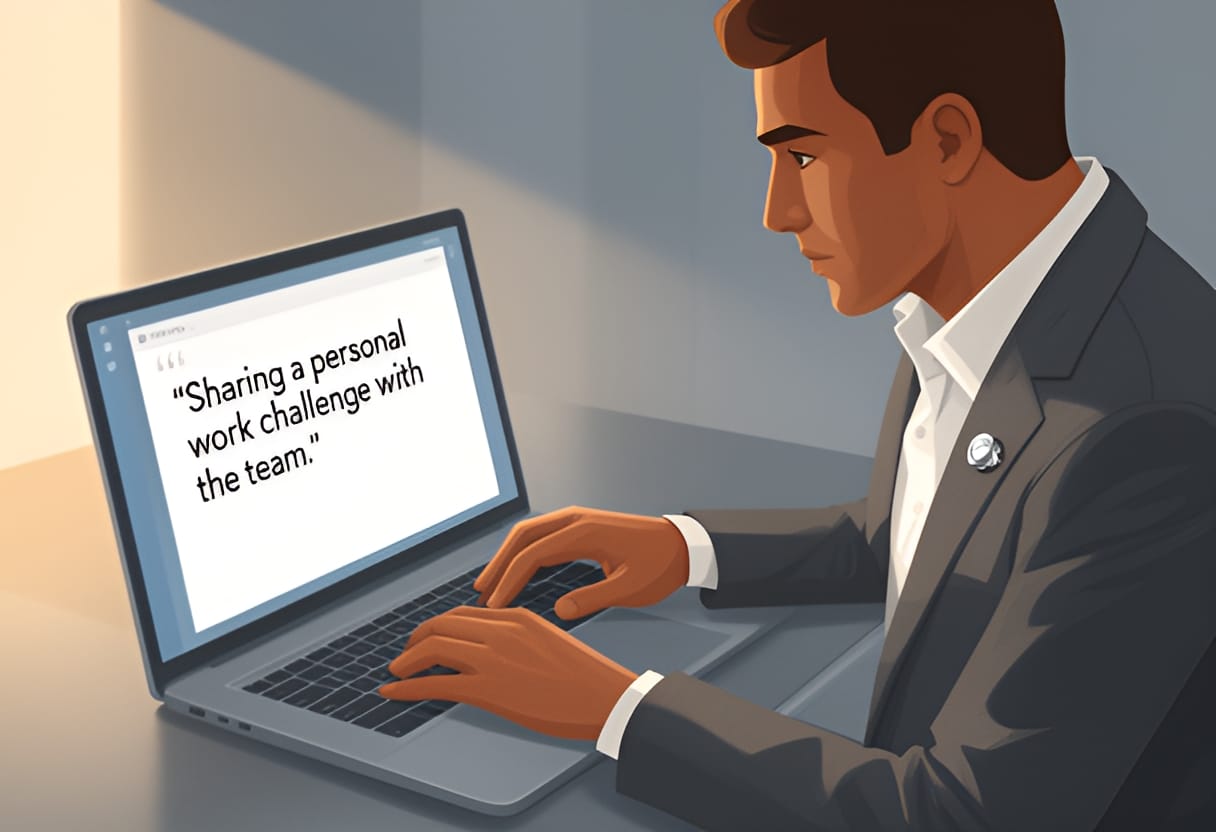
The response was immediate and genuine. Two team members shared their own concerns about burnout from context-switching, and one suggested a bi-weekly sync with product to forecast changes earlier. By leading with vulnerability, Alex didn’t undermine confidence—they strengthened it by inviting collective problem-solving.
Avoid over-sharing or making it performative. The goal isn’t to burden the team with your stress, but to normalize the idea that challenges are expected and discussable. Keep it brief, solution-oriented, and focused on learning—not blame.
Comparing Trust-Building Actions: Remote vs. Co-Located Impact
Not all trust-building behaviors translate equally across settings. Some actions that build trust organically in person require deliberate replication online. Others gain new significance in remote work because they replace lost informal signals.
The table below compares common trust-building behaviors, their typical impact in co-located teams, and their heightened importance—or altered expression—in remote environments. This helps leaders prioritize where to focus effort.
| Trust-Building Action | Impact in Co-Located Teams | Impact in Remote Teams | How to Adapt for Remote |
|---|---|---|---|
| Responding to messages promptly | Moderate (seen as polite) | High (signals reliability and respect) | Set and honor response time norms; use acknowledgments |
| Sharing personal updates in meetings | Low to moderate (natural in conversation) | High (replaces hallway rapport) | Begin check-ins with one personal update; model vulnerability |
| Admitting a mistake publicly | Moderate (builds credibility) | Very high (critical for psychological safety) | Normalize errors in retrospectives; share your own learning |
| Showing up on time for meetings | Low (expected baseline) | Moderate to high (signals respect for others’ time) | Start meetings promptly; note late arrivals without shame |
| Initiating non-work check-ins | Low (happens organically) | High (combats connection fatigue) | Schedule brief personal check-ins; use async icebreakers sparingly |
| Making decisions transparently | Moderate (visible in discussion) | Very high (reduces uncertainty and suspicion) | Document rationale in shared space; invite async feedback |
Notice how actions like admitting mistakes or sharing decision rationale—while valuable everywhere—become levers for trust in remote work because they directly counteract the opacity of digital communication. In contrast, behaviors like showing up on time, which might go unnoticed in person, become more salient online where every action is logged and visible.
One case that illustrates this shift comes from a distributed engineering team at a mid-sized SaaS company. Their new manager, promoted during the pandemic, noticed that despite strong output, team retrospectives were surface-level and conflict was avoided. After introducing a monthly “mistake of the month” segment—where leaders shared a recent error and what they learned—psychological safety scores rose 34% in the next quarterly survey. Team members began volunteering their own missteps unprompted, leading to faster bug detection and fewer repeated errors.
Trust in remote teams isn’t built in grand gestures. It’s forged in the small, repeated choices: how quickly you reply to a message, whether you explain the why behind a decision, if you admit when you’re unsure, and how you respond when someone shares bad news. By making these behaviors intentional and consistent, you replace the uncertainty of absence with the clarity of predictability. Over time, your team doesn’t just trust that you’re competent—they trust that you’re present, even when they can’t see you.
The CLEAR Protocol for Remote Expectation Setting
Remote work amplifies the cost of ambiguity. When team members operate across different time zones, unclear expectations lead to duplicated effort, missed deadlines, and erosion of trust. The CLEAR protocol provides a structured, repeatable approach to setting expectations that minimizes these risks. Each step ensures that goals are not only understood but also actionable in an asynchronous context.
Clarify begins with defining the outcome in specific, measurable terms. Instead of saying “Improve the onboarding flow,” specify “Reduce the time for new users to complete profile setup from 8 minutes to under 3 minutes within six weeks.” This removes interpretation gaps and creates a shared target.
Limit focuses on scope. Explicitly state what is not included to prevent scope creep. For the onboarding example, you might add: “This does not include redesigning the welcome email sequence or modifying the verification email template.” Boundaries protect team capacity and keep efforts aligned.
Explain connects the work to purpose. Team members are more engaged when they understand how their task contributes to broader goals. You might explain: “Faster profile setup reduces drop-off in the signup funnel, directly impacting our Q3 activation target of 40%.” This context helps individuals prioritize when trade-offs arise.
Agree involves confirming mutual understanding and commitment. In a remote setting, this means getting explicit acknowledgment—not assuming silence equals agreement. Use a shared document or task tool where each owner confirms their responsibilities and timelines. For example, after discussing the onboarding goal, ask: “Does this timeline work for you given your current load? If not, what adjustments do we need?”
Review establishes checkpoints for progress and adjustment. Schedule asynchronous updates at predefined intervals—such as a brief status note every Monday—and a synchronous review only if blockers emerge. This creates accountability without requiring constant real-time coordination.
Apply CLEAR when initiating any new project, adjusting priorities, or onboarding a new team member. The protocol works because it replaces assumptions with transparency and turns vague intentions into trackable commitments.
Writing Outcome-Based Objectives
Activity-based objectives—like “Attend three customer interviews” or “Draft the API documentation”—focus on effort, not results. In remote settings, where visibility into daily work is limited, this approach can create a false sense of progress. Outcome-based objectives shift the focus to what truly matters: the impact of the work.
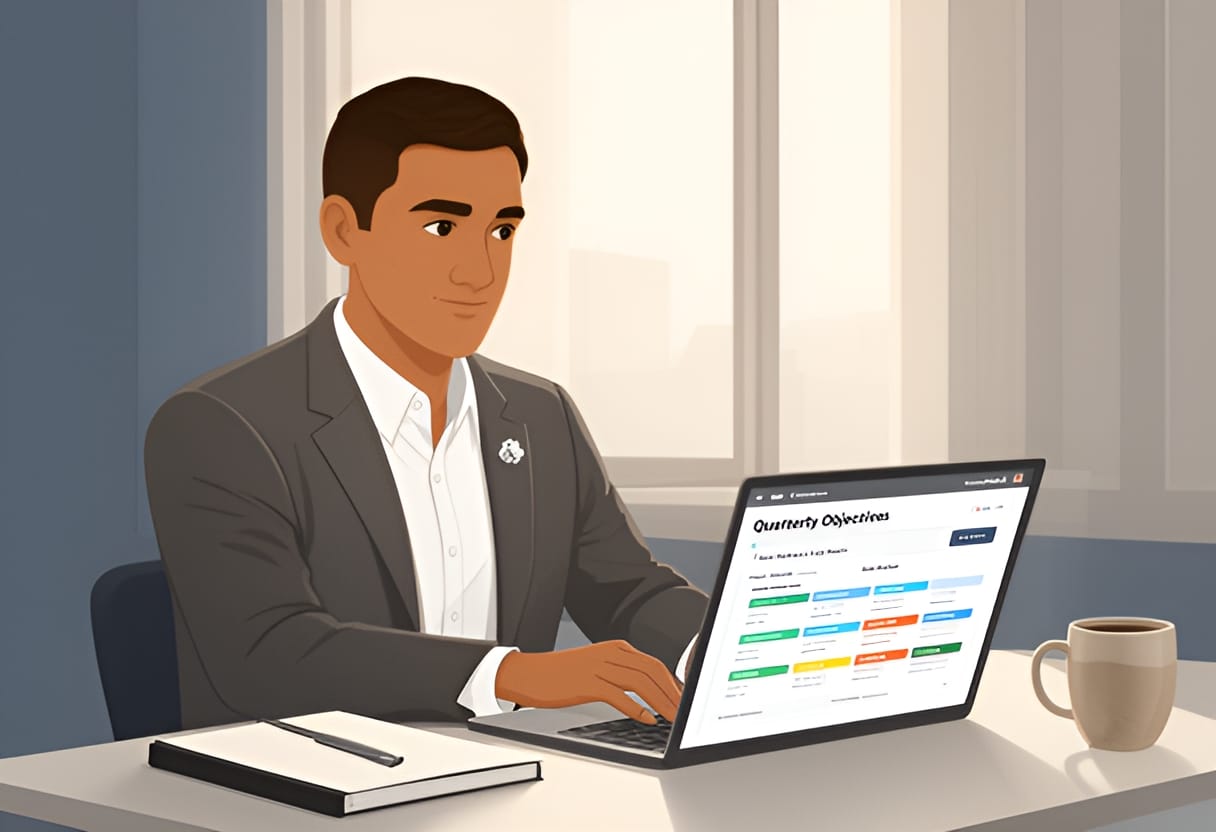
An effective outcome-based objective follows this structure: Action verb + Metric + Target + Deadline For example:
- Increase (action) the percentage of support tickets resolved in first contact (metric) from 65% to 80% (target) by end of Q3 (deadline).
- Reduce average page load time on the checkout page from 2.4 seconds to under 1.2 seconds by October 15.
These objectives are neutral about how the result is achieved, empowering team members to choose the most effective path given their expertise and constraints. A developer might reduce load time by optimizing database queries; another might implement lazy loading. Both are valid as long as the outcome is met.
To ensure objectivity, use metrics that are independently verifiable. Avoid subjective measures like “Improve user satisfaction” unless tied to a specific instrument (e.g., “Increase NPS from 42 to 50”). If qualitative feedback is needed, pair it with a quantitative signal—such as “Reduce negative sentiment in support tickets by 30%, measured via monthly sentiment analysis of tagged conversations.”
When setting objectives with your team, ask: “If we achieved this, what would be different?” If the answer describes a tangible change in behavior, performance, or customer experience, you’ve likely crafted an outcome-based goal. If it describes a task or deliverable, reframe it.
Template for a Team Working Agreement
A working agreement codifies how a team collaborates, especially across time zones. It reduces friction by making implicit norms explicit and provides a reference point when misunderstandings arise. The agreement should be lightweight, revisited quarterly, and co-created with the team to ensure buy-in.
Below is a template designed for distributed teams. Fill in the brackets with your team’s specific decisions.
| Category | Agreement | Rationale |
|---|---|---|
| Core Collaboration Hours | [e.g., 10:00–14:00 UTC] | Ensures overlap for real-time collaboration without forcing unreasonable hours. Adjust based on geographic spread. |
| Response Time Norms | [e.g., Acknowledge non-urgent messages within 8 hours; urgent flags within 1 hour] | Prevents anxiety from unanswered messages while respecting focus time. Define what constitutes “urgent.” |
| Meeting Cadence | [e.g., Weekly sync: Tuesdays 11:00 UTC; Retrospective: every other Thursday 13:00 UTC] | Reduces meeting overload by scheduling recurring events predictably. |
| Async-First Communication | [e.g., Default to written updates in [tool]; schedule meetings only for decisions requiring real-time debate] | Minimizes disruption and creates a record for those in different time zones. |
| Status Updates | [e.g., Post a brief ‘Focus Block’ note in [channel] at start of deep work; update status in [tool] when stepping away] | Increases predictability without requiring constant availability. |
| Decision Documentation | [e.g., Record key decisions in [shared space] with context, alternatives considered, and owners] | Ensures late-joining or absent members can catch up without relying on secondhand accounts. |
| Feedback Norms | [e.g., Share constructive feedback via [method] within 48 hours of observation; schedule time to discuss if needed] | Encourages timely, respectful input while protecting psychological safety. |
For example, a team spanning San Francisco, Berlin, and Bangalore might set core collaboration hours from 13:00–17:00 UTC (6:00–10:00 AM PT, 15:00–19:00 CET, 18:30–22:30 IST). This three-hour window allows for stand-ups or quick syncs while preserving the majority of the day for deep work.
Review the agreement during retrospectives. Ask: “What’s working? What’s causing friction? What should we add, remove, or change?” Treat it as a living document, not a contract.
Case Study: Async-First Goal Setting Reduces Meeting Load
A global marketing team at a mid-sized SaaS company faced chronic meeting overload. With members across North America, EMEA, and APAC, finding overlap for real-time discussion was difficult. Weekly planning meetings often ran 90 minutes, and ad-hoc syncs proliferated as members sought clarity on priorities. Despite high output, team members reported feeling constantly reactive and unable to focus on strategic work.
The team lead introduced an async-first goal-setting process using the CLEAR protocol. At the start of each quarter, the team drafted three outcome-based objectives in a shared document. Each objective included:
- A clear metric and target (e.g., “Increase organic blog traffic by 25%”)
- A brief explanation of its strategic importance
- A list of key results or milestones
- Explicit owners and timelines
- A section for assumptions and out-of-scope items
Instead of holding a live planning meeting, the lead shared the draft and requested asynchronous feedback via comments over 48 hours. Team members reviewed the goals, asked clarifying questions, and suggested adjustments based on their regional insights—such as aligning campaign timing with local holidays or noting bandwidth constraints during fiscal quarter ends.
After incorporating feedback, the team held a 30-minute synchronous session solely to resolve any remaining disagreements. The rest of the quarter proceeded with bi-weekly async progress updates: each owner posted a brief update against their key results, flagged blockers, and noted any needed adjustments. Synchronous time was reserved only for unblocking dependencies or celebrating milestones.
Over six months, the team reduced recurring meeting time by 40%, from an average of 6 hours per week to 3.6 hours. More importantly, survey scores for clarity of priorities rose from 3.2 to 4.6 out of 5. Members reported feeling more in control of their schedules and better able to align their work with team goals without constant check-ins.
The key shift was moving from discussing work to showing work. By making goals visible, measurable, and open for asynchronous input, the team replaced the need for frequent realignment meetings with trust in a shared, transparent framework.
This approach to setting expectations—grounded in clarity, outcome orientation, and structured norms—creates the conditions for autonomy and accountability to thrive, even when teammates never share the same physical space. It transforms time zone differences from a liability into a design constraint that encourages better communication habits.
Choosing the Right Tools for Clarity, Not Complexity
The tools you choose shape how your team communicates, collaborates, and ultimately performs. In remote work, it’s easy to fall into the trap of adopting every new platform that promises better connection—only to end up with fragmented conversations, notification fatigue, and unclear expectations. The goal isn’t to use the most tools, but the right ones, applied with intention. This section introduces a practical framework for selecting tools based on communication purpose, not novelty, and shows how to audit and streamline your team’s digital environment to reduce noise and increase clarity.
Applying the CUES Model for Tool Selection
Not all communication requires the same medium. A quick clarification needs a different approach than delivering sensitive feedback or aligning on a strategic decision. The CUES model helps you match the right tool to the moment by evaluating four factors: Urgency, Emotional nuance, Speed, and Signal permanence.
- Urgency: How time-sensitive is the message? Does it require an immediate response, or can it wait?
- Emotional nuance: Does the message carry tone, tension, or empathy that could be lost in text?
- Speed: How quickly do you need input or resolution?
- Signal permanence: Should the communication be recorded for future reference, or is it transient by design?
For example, if a server goes down during peak hours (high urgency, low emotional nuance, high speed, low permanence), a real-time alert in a dedicated incident channel via chat or SMS is appropriate. But if you’re delivering performance feedback (low urgency, high emotional nuance, low speed, high permanence), a private video call followed by a written summary ensures both empathy and documentation.
Alex Rivera used this model after noticing his team defaulted to video calls for everything—from status updates to brainstorming—leading to meeting fatigue. He began asking: Is this urgent? Does it need tone? Do we need a record? By applying CUES, he shifted routine updates to async posts in a shared tool, saved video for complex discussions, and reserved chat for quick, time-sensitive queries. The result was fewer meetings and clearer expectations about when to use each channel.
Building a Decision Tree for Common Scenarios
A decision tree simplifies tool selection by turning the CUES model into actionable steps. Below is a practical guide for choosing the right channel based on communication type. Use this as a starting point, then adapt it to your team’s norms and tools.
| Communication Type | Urgency | Emotional Nuance | Speed | Signal Permanence | Recommended Channel |
|---|---|---|---|---|---|
| Server outage alert | High | Low | High | Low | Incident chat channel, SMS, or status page |
| Quick clarification (e.g., “Where is the latest spec?”) | Medium | Low | Medium | Low | Team chat (e.g., Slack, Teams) |
| Sharing a draft for feedback | Low | Low | Low | High | Async doc (e.g., Google Docs, Notion) with comments |
| Delivering constructive feedback | Low | High | Low | High | Private video call + follow-up summary |
| Brainstorming new ideas | Low | Medium | Medium | High | Video call with shared whiteboard, followed by async doc |
| Announcing a policy change | Low | Medium | Low | High | Email or async doc + optional Q&A session |
| Celebrating a milestone | Low | High | Low | High | Video call or personalized message in team channel |
This table isn’t rigid—it’s a guide. For instance, if your team has strong async norms, a Loom video might replace a live brainstorming session. The key is to make the choice deliberate, not habitual.
Auditing and Streamlining Your Team’s Toolkit
Tool overload often grows silently: one team adopts a new project board, another starts using a different chat app, and suddenly information is scattered across five platforms. Conducting a quarterly tool audit helps you identify redundancies, underused licenses, and gaps in coverage.
Begin by listing every tool your team uses for communication, collaboration, or project tracking. For each, answer:
- What is its primary purpose?
- Who uses it, and how often?
- Does it duplicate the function of another tool?
- Is it adding value or creating friction?
Then, map each tool to the CUES model. If a tool is only used for low-urgency, low-nuance updates (e.g., a separate app just for status emojis), consider consolidating it into your main chat platform. If two tools serve the same purpose—say, both Notion and Confluence for documentation—choose one and migrate content.
Jordan Kim, the HR Business Partner, helped Alex run such an audit after noticing engineers were missing updates because they were posted in Slack, while designers relied on email. The team had three overlapping tools for file sharing, two for task tracking, and no clear rule for where decisions lived. By agreeing on a single source of truth for documentation (Notion), standardizing on Slack for async chat, and using Google Meet for video, they reduced context switching and improved signal clarity.
Audits aren’t about cutting tools for the sake of minimalism—they’re about ensuring each tool earns its place by serving a clear, distinct purpose.
Comparing Common Tool Categories
To help you evaluate your stack, here’s a comparison of five common tool categories, their ideal use cases, and typical pitfalls to avoid.
| Tool Category | Ideal Use Cases | Common Pitfalls |
|---|---|---|
| Team Chat (Slack, Microsoft Teams) | Quick questions, real-time coordination, informal bonding | Overuse for long discussions; notification overload; unclear thread discipline |
| Async Docs (Notion, Google Docs, Confluence) | Documentation, decision records, feedback loops, knowledge sharing | Becoming outdated; poor structure; treated as a filing cabinet instead of a living resource |
| Video Conferencing (Zoom, Google Meet) | Complex discussions, brainstorming, feedback, relationship building | Defaulting to video for everything; fatigue from back-to-back calls; lack of clear agenda |
| Project Tracking (Asana, Trello, Jira) | Task ownership, deadline tracking, progress visibility | Becoming a micromanagement tool; outdated statuses; too much detail for lightweight teams |
| Formal announcements, external communication, low-urgency updates | Slow feedback loops; buried messages; overused for internal async comms |
The pitfalls column highlights where good intentions go wrong. For example, chat excels at speed but fails when used for nuanced feedback—leading to misunderstandings. Async docs are powerful for permanence but become liabilities if no one maintains them. The goal is to match each tool to its strength and avoid asking it to do what it’s not designed for.
When Alex’s team started using Notion for meeting notes, they initially treated it like a digital scrapbook—dumping raw transcripts without summaries or action items. After a workshop on effective documentation, they adopted a template: key decisions, owners, deadlines, and open questions. Within weeks, the notebook became a go-to resource for onboarding and cross-timezone alignment.
Try This
This week, take three steps to clarify your team’s tool usage:
- List every tool your team uses for communication or collaboration. Include even infrequently used ones (e.g., a Miro board from a past retreat).
- Apply the CUES model to your three most common communication types (e.g., giving feedback, sharing updates, asking questions). Note whether your current tool matches the ideal channel.
- Identify one redundancy—two tools serving the same purpose—and plan to consolidate or retire one within the next month. Document the change in your team working agreement under Async-First Communication or Decision Documentation.
Key Takeaways
- Match tools to communication purpose using the CUES model: Urgency, Emotional nuance, Speed, and Signal permanence.
- Use a decision tree to standardize channel choices for recurring scenarios like feedback, alerts, and brainstorming.
- Audit your toolkit quarterly to eliminate redundancies and ensure each platform serves a distinct, valuable role.
- Avoid tool overload by adopting platforms intentionally—not because they’re new, but because they solve a clear problem.
- Treat your team’s working agreement as a living document to codify norms around tool use, response times, and documentation.

Chapter 2
Mastering Virtual Interaction
Designing Meetings That Respect Time and Attention
Virtual meetings often feel like time sinks—long, unfocused, and leaving participants more drained than informed. What if every meeting you ran had a clear purpose, respected people’s time, and drove real progress?
The 3B Framework: Brief, Bold, and Action-Oriented
Effective virtual meetings begin with intentional design. The 3B framework—Brief, Bold, and Action-oriented—provides a simple yet powerful lens to evaluate and shape every meeting you lead. A brief meeting respects attention spans by staying as short as necessary, not as long as the calendar allows. A bold meeting has a clear, meaningful purpose that justifies gathering people together—it’s not just a status update that could be an email. An action-oriented meeting ends with specific, owned next steps, ensuring time spent translates into progress.
Consider Alex Rivera’s team, which previously held a 90-minute weekly sync where each member shared updates in round-robin fashion. Despite good intentions, the meeting often devolved into lengthy tangents, with decisions deferred and action items vague. After applying the 3B framework, Alex redefined the meeting’s purpose: to unblock blockers and align on priorities for the coming week. The agenda now starts with a bold statement: “By the end of this meeting, we will have identified and assigned ownership for all current impediments to sprint goals.” Meetings are capped at 45 minutes, with a strict timebox for each topic. Each discussion concludes with a clear action: who will do what by when. Within two sprints, the team reported fewer unresolved blockers and higher confidence in weekly planning.
To apply the 3B framework, ask three questions before scheduling any meeting:
- Brief: Can this be achieved in 30 minutes or less? If not, what can be moved async or deferred?
- Bold: What specific outcome would make this meeting worth interrupting deep work? State it as a desired end state, not a topic.
- Action-oriented: What decisions or assignments will leave this meeting? How will you capture and follow up on them?
Assigning and Rotating Meeting Roles
Even the best-designed meeting can falter without effective facilitation. Assigning clear roles distributes responsibility, builds team capability, and ensures consistency. Four core roles work well in virtual settings: facilitator, timekeeper, note-taker, and engagement monitor.
The facilitator guides the discussion, keeps it on track, and ensures all voices are heard. The timekeeper monitors the clock and gives gentle warnings when time is running low. The note-taker captures decisions, action items, and open questions in real time. The engagement monitor watches for signs of disengagement—such as prolonged silence or camera-off patterns—and gently invites quieter members to contribute.
Alex’s team began rotating these roles weekly using a simple spreadsheet. Initially, senior engineers naturally gravitated toward facilitation, while junior members hesitated to take the note-taker role, fearing they’d miss key points. Alex addressed this by pairing new role-holders with a buddy for their first session and emphasizing that notes are for clarity, not verbatim transcription. Over time, rotation increased psychological safety and gave junior team members valuable leadership practice. The engagement monitor role, in particular, helped surface when non-native speakers were struggling to follow fast-paced discussions, prompting the team to slow down and check for understanding.

To implement role rotation:
- Create a shared schedule (e.g., in a team wiki or calendar) that assigns roles for recurring meetings.
- Provide brief role descriptions and tips (e.g., “Timekeeper: give a 5-minute and 2-minute warning”).
- Debrief monthly: What’s working? What’s hard? Adjust roles or support as needed.
- Encourage facilitators to start meetings by stating roles and responsibilities: “Today, Sam is facilitating, Lee is timekeeping, and Riley is on engagement—please direct questions to them.”
Pre-Meeting Brief Template
A strong meeting starts before anyone joins the call. A pre-meeting brief sets expectations, reduces ambiguity, and ensures participants arrive prepared. Unlike a traditional agenda, which often lists topics, a pre-meeting brief focuses on outcomes, required preparation, and success criteria.
Use this template for recurring or complex meetings:
| Element | Purpose | Example |
|---|---|---|
| Meeting Title | Clear, descriptive name | Weekly Sprint Blocker Bust |
| Desired Outcome | What will be true by the end? | All active blockers identified, owned, and assigned a due date |
| Pre-Work | What should participants do beforehand? | Review the blocker board in Jira; come ready to share one impediment |
| Timebox | Total duration and agenda timing | 45 min: 5 min check-in, 30 min blocker review, 10 min recap & actions |
| Success Criteria | How will you know it worked? | 100% of blockers have an owner; no blocker older than 48 hrs remains unactioned |
| Optional: Async Alternative | Could this be handled async? | Yes—blocker updates can be posted in Slack; meeting only needed if discussion required |
Alex adapted this template for their team’s backlog refinement sessions. Previously, attendees showed up unprepared, leading to long debates over story points and scope. After implementing the brief, pre-work included reviewing user stories and adding initial estimates in the shared doc. The desired outcome became: “Estimate and split all stories in the next sprint, with disagreements noted for async resolution.” Meetings shifted from estimation debates to quick confirmation of pre-work, cutting session time by 40% while improving estimate accuracy.
Distribute the pre-meeting brief at least 24 hours in advance via your team’s primary async channel (e.g., Slack, Teams, or email). Ask participants to confirm they’ve reviewed it—this simple step dramatically increases readiness.
Synchronous vs. Async: Choosing the Right Format
Not every meeting needs to be synchronous. In fact, defaulting to video calls for everything is a major source of meeting fatigue and exclusion, especially across time zones. Matching the format to the communication type—using the CUES model introduced earlier—ensures you’re using real-time interaction only when it adds unique value.
Evaluate these six common meeting types using the criteria of urgency, emotional nuance, speed of feedback, and signal permanence:
| Meeting Type | Best Sync? | Why | Async Alternative |
|---|---|---|---|
| Daily Stand-up | ❌ Rarely | Low emotional nuance; updates can be shared async | Async updates in Slack or Teams thread; optional sync for blockers |
| Brainstorming | ✅ Yes | High emotional nuance; energy and idea-building benefit from real-time | Miro board with timed async idea generation + short sync to cluster |
| Decision Making | ⚠️ Depends | Simple decisions: async; complex/high-stakes: sync for alignment | Doc with options and comments; sync only if debate exceeds 2 rounds |
| Retrospectives | ✅ Yes | Requires psychological safety and reading subtle cues | Async reflection doc + 30-min sync to discuss themes and vote |
| 1:1 Check-ins | ✅ Yes | High emotional nuance; trust built through personal connection | Async updates shared beforehand; sync reserved for dialogue and coaching |
| Info Sharing / Updates | ❌ No | Low urgency and emotional nuance; high signal permanence needed | Recorded Loom video or detailed Notion post with timestamps |
Alex’s team applied this matrix to their recurring calendar. They eliminated two weekly status meetings, replacing them with async update threads in Slack where members posted progress, plans, and problems (PPP) by 10 a.m. local time. The time saved was reinvested into a monthly “deep dive” sync—bold, action-oriented, and focused on solving one systemic problem per session. Attendance and engagement scores rose, and team members reported feeling less fragmented and more in control of their schedules.
Start by auditing your next week’s meetings: for each, ask, “What would be lost if this were async?” If the answer is “nothing significant,” try replacing it with a threaded update, recorded video, or collaborative doc. Reserve synchronous time for moments when real-time interaction is essential—when you need to read facial expressions, build rapport, or work through conflict in real time.
By designing meetings that are brief, bold, and action-oriented; assigning and rotating roles; using a pre-meeting brief; and choosing sync or async intentionally, you transform meetings from obligations into engines of clarity, inclusion, and forward motion.
Using Silent Start to Level the Playing Field
Beginning a meeting with a moment of quiet reflection helps counteract the tendency for the loudest or most senior voices to dominate early discussion. Instead of jumping straight into open dialogue, a silent start gives everyone time to gather thoughts, especially non-native speakers who may need extra processing time, or junior members who hesitate to speak up in front of senior colleagues. This technique reduces the advantage of quick thinking and rewards preparation, creating a more equitable foundation for contribution.
To implement a silent start, pose a clear, focused question at the outset and ask participants to spend two to three minutes writing their initial thoughts privately—either in a shared document, a digital whiteboard, or personal notes. Only after this individual reflection do you open the floor for discussion. For example, Alex Rivera began their team’s retrospective by posting the prompt, “What’s one thing that helped us move forward this sprint, and one thing that slowed us down?” in the meeting’s Notion doc. Team members added their responses silently before any verbal sharing. As a result, Samira Chen noted that two junior engineers who rarely spoke in meetings contributed detailed insights about workflow friction—points that might have been missed in a fast-paced verbal exchange.
Silent starts also surface a broader range of perspectives because they separate idea generation from social pressure. When people aren’t reacting in real time to others’ opinions, they’re less likely to self-censor or conform to perceived group norms. Over time, this practice builds psychological safety by signaling that all thoughts are valued, not just those delivered with confidence or speed.
Applying Round-Robin Sharing for Equitable Airtime
Round-robin sharing ensures each participant receives a dedicated turn to speak, preventing dominant voices from consuming disproportionate airtime. This technique is particularly effective in globally distributed teams where cultural norms may discourage interrupting or speaking over others, and where power distance can lead junior members to defer to senior colleagues automatically. By structuring turns explicitly, you reduce reliance on social cues that may disadvantage certain individuals.
To run a round-robin, decide on a speaking order—alphabetical by first name, geographic location, or role—and invite each person to share for a set duration, such as 60 or 90 seconds. Clearly state that passing is allowed, but encourage everyone to offer at least a brief comment. For instance, during Alex’s team’s quarterly planning session, Samira facilitated a round-robin on strategic priorities. She began with the team member in the earliest time zone (Bangladesh) and progressed westward. Each person had 90 seconds to describe one objective they believed the team should prioritize. Lee, a senior designer who often listened more than spoke, used the turn to advocate for investing in accessibility audits—a point that had not surfaced in prior unstructured discussions. Riley, a quiet analyst, passed initially but returned later with a concrete suggestion about refining the team’s definition of done.
The key to effective round-robin sharing is consistency and clarity. Announce the order at the start, use a visible timer if helpful, and gently guide the conversation back if someone exceeds their time or strays off-topic. Over time, rotating the starting point ensures no one is always first or last, maintaining fairness. This method doesn’t eliminate natural conversation but guarantees that every voice enters the room before discussion flows freely.
Leveraging Chat-First Input to Include Reflective Thinkers
Asking participants to type their responses in the chat before speaking aloud accommodates different thinking styles and reduces the pressure of instantaneous verbal responses. This approach benefits non-native speakers who may write more fluently than they speak, individuals who process information better in writing, and those who feel anxious about speaking on camera. By capturing input in the chat first, you create a visible record of ideas that can be referenced later, ensuring nothing gets lost in the flow of conversation.
To use chat-first input, pose a question and ask everyone to type their response in the chat without sending it immediately. After a brief pause—typically 30 to 60 seconds—invite them to send all at once. This synchronized submission prevents early responses from influencing later ones and gives you a moment to scan for themes. Then, highlight a few responses verbally to kick off discussion. For example, in a backlog refinement meeting, Alex asked, “What’s one assumption we’re making about this user story that we should test?” Team members typed their answers privately, then sent them together. The chat revealed a cluster of concerns about data privacy compliance that hadn’t been voiced in previous meetings. Alex brought these up directly, leading to a quick validation task being added to the sprint.
Chat-first input also surfaces quieter voices without putting them on the spot. When Jordan Kim observed Alex’s team adopting this practice, they noted that the chat log became a valuable artifact for tracking participation trends—showing not just who spoke, but who contributed thoughtful written input even when they didn’t unmute. Over time, this builds confidence among reflective thinkers, increasing their likelihood to speak up verbally as they see their ideas taken seriously.
Using Breakout Pairing for Deep, Low-Pressure Dialogue
Splitting the group into pairs or trios in breakout rooms creates a safer space for candid exchange, especially for individuals who feel overwhelmed in large group settings. Smaller configurations reduce performance anxiety, allow for follow-up questions, and enable quieter members to contribute meaningfully without competing for airtime. This technique works well for generating ideas, giving peer feedback, or exploring complex topics that benefit from deeper discussion.

To facilitate breakout pairing, provide a clear, time-boxed task and specific instructions for what each pair should produce—such as a list of three risks, a single-sentence summary, or a proposed solution sketch. Assign pairs randomly or strategically to mix roles, seniority, or geographic locations. After the breakout session, bring everyone back and invite each pair to share one key insight. For instance, during a team retrospective on communication gaps, Alex used breakout pairs to explore the question, “Where did we feel out of the loop this sprint?” Each pair discussed for five minutes, then returned to share one theme. The pairs revealed a recurring issue: designers felt disconnected from backend API changes, while engineers said they didn’t know when design mockups were finalized. This led to the adoption of a shared API contract checklist in Notion—an outcome that might not have emerged in a full-group discussion where tangential talk could dominate.
Breakout pairing also mimics the informal, low-stakes exchanges that occur in hallways or coffee breaks, helping rebuild the trust-building function of spontaneous interaction. When Samira mentored Alex, she emphasized keeping breakout tasks focused and time-bound to prevent drift. She also recommended rotating pairings regularly to strengthen cross-team bonds and prevent silos from forming.
Gathering Honest Feedback with Anonymous Polling and Reaction Emojis
Anonymous tools reduce the fear of judgment and make it safer to share dissenting views, confusion, or dissatisfaction—especially in hierarchical cultures or teams where speaking up carries perceived risk. Polling and emoji reactions provide low-friction ways to gauge sentiment, check understanding, or prioritize options without requiring verbal exposition.
Use anonymous polls for questions where honesty is critical, such as assessing psychological safety, testing comprehension of a complex decision, or identifying unspoken concerns. Tools like Slack’s /poll, Zoom’s polling feature, or Mentimeter allow real-time, anonymous responses. For example, after noticing hesitancy during a discussion about shifting to a new sprint cadence, Alex launched an anonymous poll: “On a scale of 1–5, how confident do you feel about this change?” The results showed most team members rated their confidence at 2 or 3, despite vocal support from a few senior members. This prompted Alex to pause the decision and host a follow-up session focused on addressing concerns.
Reaction emojis offer a quick, nonverbal way to respond to ideas or updates. Encourage team members to use standardized reactions—such as 👍 for agreement, 🤔 for questions, or ❤️ for appreciation—to signal reactions without interrupting the flow. During a design review, Alex asked the team to react to three proposed layouts using only emojis. The 👍 count clearly favored one option, while several 🤔 reactions highlighted accessibility concerns in another. This visual feedback allowed the team to converge quickly while still capturing nuanced input.
When introducing these tools, frame them as aids for clarity and inclusion, not surveillance. Explain that anonymity protects honesty, not avoids accountability. Over time, regular use normalizes candid feedback and helps leaders detect issues early—before they erode trust or engagement.
Checklist: Identifying and Mitigating Participation Barriers in Virtual Meetings
Use this checklist before, during, and after meetings to spot and address common obstacles to equitable participation. Treat it as a living document—adapt items based on team feedback and observed patterns.
| Barrier | Signs to Watch For | Mitigation Strategy |
|---|---|---|
| Dominant voices | Same 2–3 people speak >50% of time; others rarely unmute | Use round-robin, silent start, or chat-first input; set speaking time limits |
| Language processing delays | Non-native speakers pause frequently; ask for repeats; type more than they speak | Allow chat-first input; share key questions in advance; avoid idioms and slang |
| Low psychological safety | Hesitation to disagree; laughter deflects serious points; agreement without discussion | Start with anonymous polls; thank dissenters publicly; model vulnerability by sharing your own uncertainties |
| Time zone fatigue | Consistent lateness or early exits; muted video; minimal engagement from certain regions | Rotate meeting times; record sessions with timestamps; use async alternatives for updates |
| Multitasking distractions | Eyes darting; delayed responses; visible secondary screens | Begin with a check-in; assign engaging roles (e.g., engagement monitor); keep meetings tight and purposeful |
| Technology inequity | Poor audio/video; frequent disconnections; reliance on phone dial-in | Provide stipends for headsets or upgrades; offer dial-in as backup, not primary; share materials in advance |
| Cultural deference to hierarchy | Junior members wait for seniors to speak; silence when asked for opinion | Use round-robin starting with junior members; explicitly invite contrary views; share credit for ideas publicly |
Alex adapted this checklist after noticing that their biweekly demo reviews consistently featured the same two engineers presenting, while others rarely commented. By introducing chat-first input for demo feedback and assigning a rotating engagement monitor to note who had spoken, participation broadened within three sprints. The engagement monitor’s log showed a 40% increase in unique contributors over six weeks, and post-meeting surveys indicated higher perceived inclusivity across time zones and experience levels.
When applying the checklist, focus on one or two barriers per meeting to avoid overload. Track changes in participation patterns over time—such as the percentage of team members who contribute verbally, via chat, or in breakouts—and adjust your facilitation accordingly. The goal is not perfection, but progressive improvement in making every team member feel seen, heard, and able to contribute meaningfully.
Building Connection and Camaraderie Across Screens
The 3C connection model provides a practical framework for designing moments that build genuine rapport in remote teams. Consistency ensures that connection opportunities happen regularly enough to become part of the team rhythm. Casualness keeps interactions low-pressure and human, avoiding the stiffness of formal meetings. Care demonstrates that leaders and peers notice and value each other as whole people, not just contributors to output. Together, these three elements create conditions where trust can grow organically, even without shared physical space.
Consider how Alex Rivera’s team struggled after moving fully remote. Despite clear goals and efficient meetings, team members reported feeling isolated and disconnected during retrospectives. Samira Chen suggested applying the 3C model to their existing routines. They began with consistency: scheduling a 15-minute virtual coffee slot every Tuesday and Thursday at 10:30 a.m. ET, rotating the host each week. The casualness came from keeping the agenda open—no updates, no agenda items, just conversation. For care, Alex started each session by sharing one personal thing they were looking forward to outside work, inviting others to do the same if they wished. Over eight weeks, attendance became self-sustaining, and team members began initiating side conversations in Slack after noticing shared interests during these chats.
Virtual coffee chats work best when they are voluntary, brief, and framed as optional connection rather than another obligation. The key is to protect the time from work creep. If someone starts reporting on a project, gently redirect: “That sounds important—let’s catch up on that later. For now, tell me about that hiking trip you mentioned.” Rotating hosting duties distributes the effort and gives quieter team members a low-stakes way to contribute. One effective variation is the “blind pairing” system, where the engagement monitor randomly pairs two team members each week for a 10-minute chat, using a simple tool like Donut or a shared spreadsheet. Afterward, each person shares one thing they learned about their partner in the next team meeting—without revealing names unless both agree. This builds curiosity and reduces the pressure to perform in larger groups.
Peer recognition rituals reinforce care by making appreciation visible and specific. Instead of generic praise like “great job,” encourage team members to highlight the impact of someone’s actions. A simple structure is the “I noticed… because…” format: “I noticed you stayed late to help Samira debug the deployment pipeline because it meant we could release the feature on time for the client launch.” This connects behavior to outcome and makes recognition feel earned. Alex’s team adopted a weekly “shout-out thread” in their #general Slack channel, where anyone could post a recognition using that format. To keep it sustainable, they limited it to three shout-outs per week and rotated who could initiate the thread. Over time, the thread became a place where people saved messages for tough days, rereading them when motivation waned.
Non-work channels serve as digital watercoolers where shared interests can spark spontaneous interaction. The most successful ones are narrowly focused—#book-club, #pet-photos, #running-routes—rather than broad like #random, which often gets overlooked. Samira Chen advised Alex to start with one channel tied to a known team interest. After learning that several team members enjoyed cooking, Alex created #recipe-swap with a prompt: “Share one dish you made this week that surprised you.” The first post was a photo of burnt garlic bread with the caption, “Lesson learned: butter burns faster than you think.” The humor disarmed hesitation, and soon others began posting experiments, substitutions, and family recipes. Jordan Kim noted that participation in #recipe-swap correlated with higher scores on the team’s quarterly belonging survey, suggesting that low-stakes sharing builds psychological safety for work-related risks too.
Celebrating milestones—both personal and professional—signals that the team sees members as individuals. For work achievements, tie recognition to team values. When Alex’s team shipped a hard-won performance improvement, they didn’t just say “good work.” They created a short video montage of clips from the sprint: a pair programming session, a Slack thread where someone asked for help, a joke in the daily standup. They shared it in the all-hands with the caption: “This is what ownership looks like: asking for help, iterating fast, and celebrating small wins together.” For personal milestones like work anniversaries, births, or completing a certification, use a combination of synchronous and asynchronous elements. Send a calendar invite for a 10-minute video call at the time zone of the person being celebrated. During the call, keep it light: one story from a teammate, one from a manager, and space for the person to share if they want. Follow up with a digital card signed by the team—using a tool like Kudoboard or a shared Google Doc—and deliver a small, localized gift (e.g., a coffee gift card for someone in Colombia, a bookstore voucher for someone in Germany).
To help leaders choose where to invest effort, consider the following comparison of connection practices by time investment and perceived impact. This table is not prescriptive but a starting point for adapting to your team’s size, culture, and bandwidth.
| Connection Practice | Time Investment (per week) | Perceived Impact on Belonging | Example Application |
|---|---|---|---|
| Virtual coffee chat (15 min, 2x/week) | 0.5 hours (host) / 0.25 hours (attendee) | High | Rotating host, blind pairing, themed prompts |
| Peer recognition ritual (shout-out thread) | 0.25 hours (initiation) / 0.05 hours (per post) | High | “I noticed… because…” format, weekly limit |
| Non-work interest channel (e.g., #recipe-swap) | 0.1 hours (moderation) / 0.05 hours (participation) | Medium | Narrow focus, seed with personal story |
| Milestone celebration (video call + digital card) | 0.25 hours (organizer) / 0.1 hours (attendee) | High | Zone-friendly timing, localized gift, story sharing |
| Async milestone board (e.g., Kudoboard) | 0.1 hours (setup) / 0.05 hours (contribution) | Medium | Ongoing, low-pressure, visible over time |
The perceived impact reflects how strongly team members reported feeling seen and valued in post-intervention surveys across multiple remote teams. Time investment includes preparation, facilitation, and participation. Notice that the highest-impact practices are not the most time-consuming—they succeed by being regular, human-centered, and easy to join. A virtual coffee chat requires less than 30 minutes a week from any individual but yields a disproportionate return in trust and psychological safety.
One risk to watch for is connection fatigue—when too many optional events create pressure to attend or perform sociability. Alex learned this after adding a weekly trivia night, a monthly book club, and a quarterly virtual escape room. Attendance dropped, and some team members began muting notifications. The solution was to audit the team’s energy: they kept the coffee chats and recognition thread, paused the trivia night, and made the book club asynchronous via a shared Slack thread where people posted reflections as they read. The escape room became an annual event tied to a major milestone, not a recurring obligation.
Another common pitfall is confusing activity with connection. Simply creating a #random channel or scheduling a monthly happy hour does not guarantee belonging. The 3C model helps diagnose why some efforts fall flat. If attendance is low, check consistency: is it happening often enough to become a habit? If conversations feel forced, examine casualness: are you unintentionally turning it into a work update? If people attend but don’t engage, assess care: are you modeling vulnerability and responding to personal shares with genuine interest?
Alex’s team now measures connection health through two simple metrics: the percentage of team members who attend at least one voluntary connection event per month, and the number of unsolicited peer recognitions posted in their shout-out thread. Both have risen steadily since they began applying the 3C model intentionally. More importantly, during their latest retrospective, a junior engineer noted, “I don’t just feel like I’m on a team—I feel like I’m part of a group that actually knows me.” That shift—from transactional interaction to relational belonging—is the quiet outcome of designing connection, not leaving it to chance.
Recognizing Early Signs of Digital Tension
Remote work amplifies the risk of miscommunication because text-based channels lack vocal tone, facial expressions, and immediate feedback loops. A delayed reply to a direct message might signal disengagement—or simply deep focus. A terse Slack message could reflect urgency or frustration. Without proactive checking, these ambiguities fester into assumptions that erode trust.
Leaders must train themselves to spot patterns, not isolated incidents. Watch for shifts in communication rhythm: someone who usually responds within hours now takes a day; a typically verbose team member sends only emojis; meeting attendance drops without explanation. These behavioral cues often precede verbalized conflict. For example, when Alex noticed his senior developer, Priya, replying to his feedback requests with only “Noted” and a thumbs-up emoji—where she previously asked clarifying questions—he initiated a brief video check-in. It revealed she felt his recent feedback on her architecture proposal was dismissive, though he intended it as time-saving guidance.
Create a personal log to track these shifts objectively. Note date, channel, observed behavior, and your initial interpretation. Review it weekly to distinguish temporary stress from emerging patterns. This practice counters recency bias and grounds interventions in observation rather than reaction.
Applying the LARA Method to Tense Messages
When a message triggers defensiveness—whether perceived sarcasm, blame, or abruptness—the LARA method provides a structured response that de-escalates while preserving accountability. It works in asynchronous channels like email or Slack, where you have time to craft a thoughtful reply.
Listen: Read the message fully without drafting a reply in your head. Identify the factual content separate from emotional tone. Ask: What is the core request or concern beneath the wording? Affirm: Acknowledge the person’s perspective or emotion without agreeing or disagreeing with substance. This validates their experience and reduces defensiveness. Respond: Address the substance clearly and neutrally. Focus on facts, next steps, or clarifying questions. Avoid “but” after affirmation, which negates it. Add: Contribute something forward-looking— a suggestion, resource, or invitation to dialogue—that moves the interaction toward resolution.
Consider this scenario: Alex receives a Slack message from Samira after a cross-functional review: “Alex, your team’s delay on the API mockup pushed our deadline again. This keeps happening. Fix it.” His initial reaction was frustration—he felt blamed unfairly. Applying LARA:
- Listen: The core issue is a missed dependency impacting Samira’s timeline. The frustration is valid, even if the phrasing feels accusatory.
- Affirm: “I hear that the delay impacted your team’s schedule, and that this pattern is concerning.”
- Respond: “Our blocker was waiting on security approval for the sandbox environment, which took 48 hours longer than estimated. I’ve since escalated to get pre-approval for future sprints.”
- Add: “Would you be open to a 10-minute sync tomorrow to align on handoff timing? I’ll share our updated risk log so we can spot dependencies earlier.”
This response acknowledged impact, explained context without excuse, and proposed collaboration. Samira replied: “Thanks for the context. Let’s sync at 2 PM your time.” The tension dissolved because Alex addressed both the relationship (through affirmation) and the task (through clear response and forward-looking add).
Use LARA not just for reactive replies but as a drafting template for sensitive outgoing messages. Write your first version freely, then revise it through the LARA lens before sending.
Distinguishing Task Conflict from Relationship Conflict in Writing
Not all disagreement is harmful. Task conflict—differing views on how to approach work—can improve outcomes when managed well. Relationship conflict—personal friction, perceived disrespect, or clashing values—undermines trust and must be addressed directly. In digital communication, the two often intertwine, making disentanglement essential.
Task conflict markers: Focus on ideas, processes, or outcomes. Language includes data references, alternative suggestions, or questions about feasibility. Example: “I think we should prototype in Figma instead of Sketch because the team’s velocity data shows faster iteration there.” Even if stated bluntly, the target is the work product. Relationship conflict markers: Involve personal attribution, global judgments, or references to past incidents. Language includes “you always,” “this is typical of,” or implications about competence or intent. Example: “You keep choosing tools no one else knows how to use, which slows everyone down.” Here, the critique targets the person’s judgment or habits.
When Alex reviewed a heated email thread between two engineers about database indexing strategies, he noticed the shift: early messages discussed query performance and indexing types (task conflict). Later, one wrote: “You’re ignoring the load-test results I shared last week—just like you did during the migration.” The reference to past behavior and implied disregard signaled relationship conflict had entered the fray.
To diagnose, ask:
- Does the criticism focus on a specific, changeable aspect of the work? (Task)
- Does it generalize about the person’s abilities, reliability, or motives? (Relationship)
- Is there reference to unresolved history or emotional language like “frustrated,” “disappointed,” or “surprised you’d…”? (Likely relationship)
If relationship conflict is suspected, delay public responses. Initiate a private video call to explore perceptions safely. Use non-blaming language: “I noticed tension in the exchange about X. Can we talk through what each of you needed from that conversation?” This invites reflection without forcing agreement.
Choosing Between Async and Sync Approaches to Conflict Resolution
The medium shapes the message. Asynchronous tools excel for reflection and documentation but risk prolonged misunderstanding due to delayed feedback. Synchronous video or voice calls restore immediacy and nuance but require scheduling and emotional readiness. Match the approach to the conflict’s stage and complexity.
Use this guide to decide:
| Approach | Best For | Pitfalls to Avoid | Example Scenario |
|---|---|---|---|
| Async first | Clarifying intent, sharing context, low-status disparities | Assuming silence = agreement, over-reliance on tone indicators | A junior member feels hesitant to contradict a senior lead in chat; async allows time to formulate a respectful pushback |
| Sync follow-up | Persistent tension, repeated misreads, repair needed | Forcing resolution before parties are ready, ignoring power dynamics | After three Slack exchanges where Alex felt Samira was dismissive, a 15-minute video call revealed she was multitasking and missed his tone |
| Hybrid | Complex issues needing both reflection and dialogue | Unequal participation if one dominates live, lack of follow-up | Team retrospective on sprint failures: async pre-work to submit observations, sync session to discuss patterns and agree on experiments |
Alex’s rule: Begin async to de-escalate and gather facts. If after two rounds of exchange tension persists or increases, propose a video call with a clear purpose: “I think we’re misunderstanding each other in chat. Can we hop on a 10-minute call to align? I’ll share my screen to show the data I’m referencing.” This lowers the barrier to accept—it’s framed as efficiency, not confrontation.
After any sync resolution, summarize outcomes async: shared notes, agreed actions, and appreciation for the dialogue. This closes the loop and creates a reference point if similar issues arise.
Try This
This week, practice detecting and responding to digital tension with these steps:
- Monitor your inbox: Flag one message where you felt a negative reaction (annoyance, confusion, defensiveness). Apply the LARA method to draft a reply—don’t send it yet. Compare it to your initial impulse.
- Observe a team interaction: In your next meeting or thread, note if any participant’s tone or word choice shifts from earlier baseline. Afterward, reflect: Was it task- or relationship-focused? What might explain the shift?
- Test a repair: If you identified a lingering tension (yours or observed), initiate a brief video call using the script: “I want to make sure we’re on the same page about [topic]. Do you have 10 minutes to sync?” Focus on listening first, then clarifying.
Key Takeaways
- Watch for shifts in communication rhythm and tone as early warnings of digital misalignment, not isolated incidents.
- Use the LARA method (Listen, Affirm, Respond, Add) to transform tense messages into opportunities for clarity and connection.
- Distinguish task conflict (about the work) from relationship conflict (about the person) to choose the right intervention—async clarification or sync repair.
- Match resolution approach to context: start async for reflection, move to sync when tension persists, and always close with a documented summary.
- Repair trust by naming the gap (“I think we’re misunderstanding each other”) and inviting dialogue with a low-pressure, purpose-driven video call.
Chapter 3
Sustaining Performance and Growth
Tracking Progress Without Micromanaging
Imagine a manager logging into their dashboard on a Tuesday morning. Instead of seeing who’s online or how many Slack messages each person sent, they see that the team shipped two features, reduced customer support tickets by 15%, and completed a cross-functional sprint review — all while working across three time zones. This shift from watching activity to measuring impact is the heart of sustainable remote leadership. It’s not about distrust; it’s about designing systems where accountability and autonomy coexist.
Outcomes Over Activity: Shifting the Focus
Remote work exposes the flaw in equating visibility with contribution. When managers can’t see who’s at their desk, old habits like frequent check-ins or constant status requests creep in — not from malice, but from a lack of better signals. The alternative isn’t to trust blindly, but to replace proxies for work with direct evidence of progress. This means defining what success looks like in advance and measuring against it consistently.
Consider Alex Rivera’s team after adopting the OKR-lite framework. Instead of tracking hours logged or meeting attendance, they began each quarter by agreeing on three objectives: improve system reliability, reduce onboarding time for new engineers, and increase customer satisfaction scores. Each objective had two to three key results — specific, measurable outcomes like “reduce critical incidents by 30%” or “cut average ramp-up time from four weeks to two.” Progress was reviewed every two weeks, not by asking “What did you do this week?” but by checking which key results had moved and why. Over six months, the team saw a 22% increase in velocity and a noticeable drop in last-minute crisis meetings, not because they were monitored more closely, but because everyone knew what mattered and could see how their work contributed.
The OKR-Lite Framework: Simple, Transparent, Adaptable
OKR-lite is a streamlined version of Objectives and Key Results designed for teams that need clarity without bureaucracy. It works because it forces conversations about priorities, creates shared understanding of success, and provides a neutral basis for feedback — all essential in remote settings where misalignment can go unnoticed for weeks.
To implement OKR-lite:
- Set objectives quarterly — ambitious but achievable statements of what the team wants to accomplish (e.g., “Strengthen our client onboarding experience”).
- Define 2–3 key results per objective — quantifiable milestones that indicate progress (e.g., “Reduce time-to-first-value from 10 to 5 days,” “Achieve 90% post-onboarding satisfaction score”).
- Review progress biweekly — in team meetings or async updates, assess whether key results are on track, behind, or at risk, and discuss adjustments.
- Keep it visible — post the current OKRs in a shared space like a Notion page or Miro board so everyone can see how their work ties in.
A key principle: key results should be outcomes, not tasks. “Launch the new portal” is an output; “Increase portal adoption by 40% among active users” is an outcome. The latter tells you whether the effort actually moved the needle.
Samira Chen, Alex’s mentor, uses a traffic light system during reviews: green (on track), yellow (at risk, needs attention), red (off track, requires intervention). This visual cue makes it easy to spot trends without digging into individual tasks. In one cycle, her team noticed three key results turning yellow simultaneously — not because people were slacking, but because a dependency on legal review was causing delays. The OKR-lite framework didn’t just track performance; it revealed a systemic blocker.
Leading vs. Lagging Indicators: Measuring What Matters
Not all metrics are created equal. Lagging indicators tell you what has already happened — like revenue, bug counts, or sprint velocity. They’re important for assessing results but offer little chance to course-correct. Leading indicators, by contrast, predict future performance. They’re the early signals that let you adjust before problems compound.
In remote teams, relying too heavily on lagging indicators can create a false sense of security. You might celebrate a successful launch only to discover weeks later that adoption is low because user feedback wasn’t gathered early enough. Leading indicators help close that gap.
| Indicator Type | Examples | Purpose | Remote Work Advantage |
|---|---|---|---|
| Leading | Weekly user test participation, code review turnaround time, async update response rate, backlog grooming completion | Predict future outcomes; enable early intervention | Can be tracked asynchronously; reflect team habits and engagement |
| Lagging | Quarterly revenue, defect escape rate, customer churn, feature release frequency | Measure past performance; validate strategy | Often delayed; less useful for real-time adjustments |
For example, Alex began tracking the percentage of team members who posted their weekly focus update by 10 a.m. local time — a leading indicator of alignment and engagement. When participation dropped below 70%, it signaled a need to check in on workload or clarity, not because people were underperforming, but because shared understanding was fraying. Addressing it early prevented missed deadlines down the line.
Another team used the number of cross-functional comments on design docs as a leading indicator of collaboration quality. A sudden decline prompted a retro that revealed time zone overlap had shrunk due to a new hire’s schedule — leading to a adjustment in meeting rhythms before silos formed.
Visual Progress Boards: Momentum Without Surveillance
A well-designed progress board shows what the team is achieving without implying who is (or isn’t) working at any given moment. It shifts the gaze from individuals to collective output, reinforcing trust while maintaining transparency.
Alex’s team uses a simple Kanban-inspired board in their shared workspace, divided into three columns: Focus This Week, In Progress, and Done. Each item is a team-level outcome — not a task assigned to a person. For example:
- Focus This Week: “Reduce API latency under 200ms”
- In Progress: “Load testing staging environment” (owned by two engineers, but not labeled as such)
- Done: “Implemented caching layer; latency now 180ms avg”
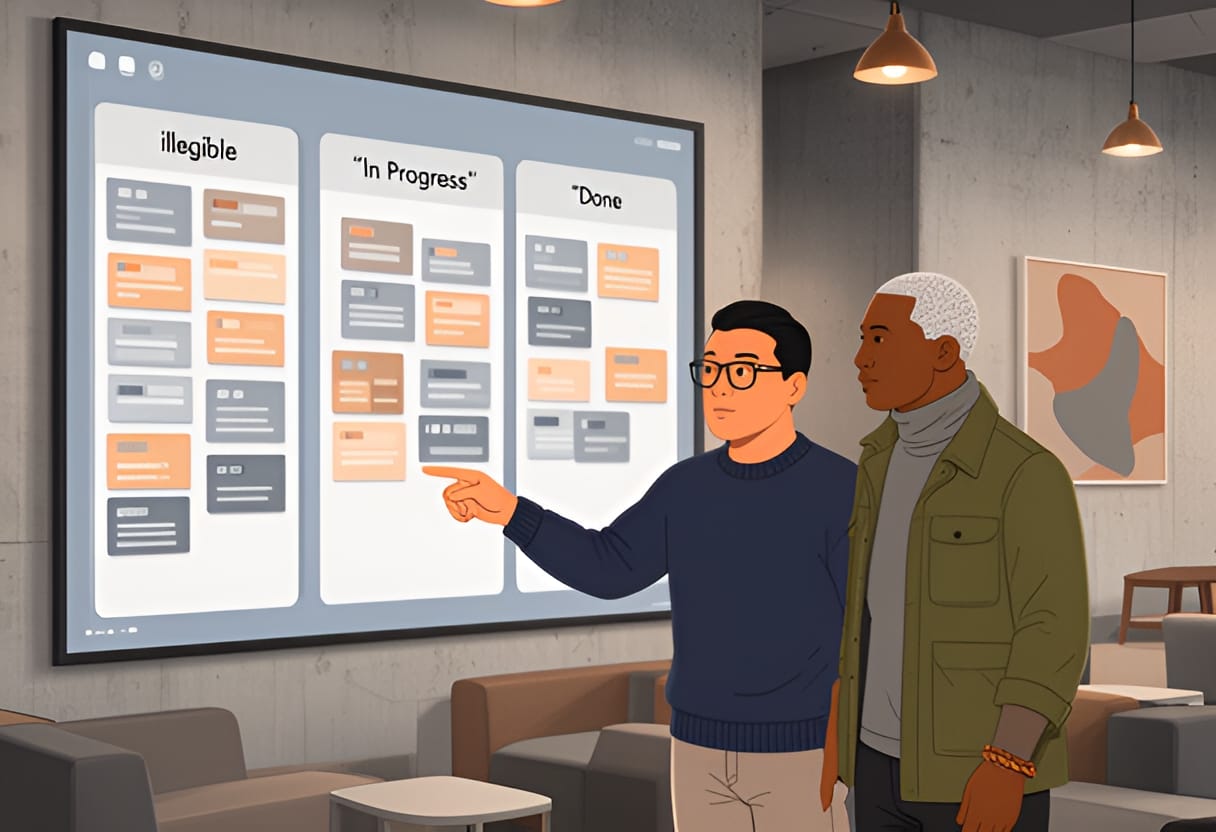
The board is updated asynchronously during the week and reviewed briefly in the team’s biweekly sync. No names are attached to items unless someone volunteers context. The goal isn’t to track who did what, but to see whether the team is moving toward its goals.
Illustration
A clean, minimalist progress board showing three columns — Focus This Week, In Progress, Done — with 2–3 outcome-focused items per column written in plain language (e.g., “Improve checkout flow completion rate,” “Draft onboarding checklist for new hires”). No names, avatars, or time stamps are visible. A small header reads “Team Momentum: Q3 Progress” with a subtle upward trend graphic in the corner.
This approach avoids the surveillance trap of tools that log keystrokes or screen time. Instead, it builds confidence through transparency: everyone sees what the team is tackling, what’s been completed, and what’s coming up. Over time, the board becomes a story of collective progress — not a ledger of individual output.
By anchoring performance in observable outcomes, using lightweight frameworks like OKR-lite, distinguishing between leading and lagging indicators, and visualizing team momentum without tracking individuals, managers can hold their teams accountable without eroding trust. The goal isn’t to eliminate check-ins — it’s to make them meaningful. And that begins with redefining what we mean by progress.
Supporting Development and Career Growth Remotely
When you can’t see your team’s daily work, investing in their growth requires more intention than observation. Remote work removes the informal moments — hallway chats, impromptu whiteboard sessions, lunch-and-learns — where mentorship often happens organically. Without deliberate effort, high-potential contributors can become invisible, not because they lack skill, but because their development isn’t being actively nurtured or made visible to decision-makers.
This section shows how to build structured, equitable pathways for growth that work across time zones and communication preferences. You’ll learn how to adapt proven coaching frameworks for virtual conversations, create development plans that balance skill-building with stretch opportunities, and advocate for your team members in promotion cycles and high-visibility initiatives — all while respecting the realities of remote work.
Adapting the GROW Model for Remote Coaching
The GROW model — Goal, Reality, Options, Way forward — provides a simple, repeatable structure for coaching conversations that drive clarity and accountability. In a remote setting, its strength lies in its ability to create focused dialogue even when bandwidth is limited or asynchronous. Used well, it shifts coaching from vague encouragement to actionable planning.
Start with Goal: Help the team member define what they want to achieve, not just in terms of outcomes, but skills, visibility, or impact. In remote work, goals often need to be more explicit because informal feedback loops are weaker. Instead of “I want to grow as a designer,” a better goal might be “I want to lead the end-to-end design of one customer-facing feature this quarter, including presenting it to stakeholders.”
Next, explore Reality: What’s currently true? This isn’t just about performance — it’s about access. Ask questions like: “What opportunities have you had to lead projects recently?” or “How often do you get feedback on your work from people outside your immediate team?” In remote settings, reality checks often reveal gaps in visibility or feedback latency, not ability.
Then, brainstorm Options: What could you try? Encourage ideas that work asynchronously or across time zones. For example, if someone wants to improve public speaking, options might include recording a short Loom video for team feedback, volunteering to demo a feature in the next all-hands, or joining a cross-functional guild that presents monthly.
Finally, agree on Way forward: What specific steps will they take, and when? Assign ownership and set a check-in. In remote teams, this step benefits from being documented — not for surveillance, but to create a shared reference point. A quick message like “Let’s reconnect in two weeks to review your draft presentation slides” keeps momentum without requiring a meeting.
Example: Samira Chen uses GROW in her monthly one-on-ones with remote reports. When a backend engineer said they wanted to move into architecture, she guided them through each stage: - Goal: “Lead the technical design for the new payment service by Q3.” - Reality: “You’ve contributed to components but haven’t owned a full system design yet.” - Options: “Shadow the lead architect on the current project, draft a proposal for a small service boundary, or present a tech spike in the next guild meeting.” - Way forward: “You’ll draft a one-pager by Friday; I’ll review it async and we’ll discuss it in our next sync.” Two months later, the engineer led the design review for the payment service — not because they were suddenly more capable, but because the conversation turned ambition into a plan.
Creating Individual Development Plans with Skill Milestones
An individual development plan (IDP) is not a wish list — it’s a bridge between where someone is and where they want to go, built with concrete steps and measurable progress. In remote teams, IDPs must account for asynchronous feedback, limited observation, and the need for explicit visibility. The best ones blend skill-building with stretch opportunities that create natural moments for recognition.
Break development into three layers:
- Foundational skills: Core competencies needed for current role mastery (e.g., writing clear technical documentation, running effective retros).
- Growth skills: Capabilities that prepare for the next level (e.g., stakeholder management, cross-functional planning).
- Stretch opportunities: Visible, meaningful tasks that let someone apply growth skills in real contexts (e.g., leading a quarterly planning session, mentoring a new hire).
Each layer should have clear milestones — not vague ideals like “get better at communication,” but observable changes: “Deliver one async update per week that includes a clear ask and deadline” or “Facilitate a retro with action items owned by the team.”
To keep IDPs useful, review them quarterly, not annually. Remote work changes fast — priorities shift, new tools emerge, bandwidth fluctuates. A quarterly check-in ensures the plan stays relevant and shows the team member you’re invested in their trajectory.
Example: Alex Rivera worked with Jordan Kim to create an IDP for a junior product analyst who wanted to transition into product management. Their plan looked like this: | Development Area | Skill Milestone | Stretch Opportunity | Timeline | | --- | --- | --- | --- | | Product Discovery | Write one opportunity solution tree per month based on user interviews | Lead discovery for a small internal tool improvement | Months 1–2 | | Roadmapping | Contribute to one quarterly theme during planning | Draft a proposed OKR for the next cycle | Months 3–4 | | Stakeholder Influence | Present findings to a non-technical audience via Loom | Lead the demo of a new feature in the all-hands | Months 5–6 | The analyst completed the discovery lead in month two, drafted an OKR in month four, and presented the feature demo in month five. By month six, they were invited to shadow the product lead on the next major initiative — not because they asked for a promotion, but because their growth was visible, tracked, and aligned with team needs.
Advocating for Remote Team Members in Promotions and Projects
Visibility doesn’t happen by accident in remote work. If you don’t actively advocate for your team members, their contributions risk being overlooked — not due to bias, but because decision-makers rely on what they can see. Your role as a manager is to be the bridge between your team’s impact and the people who make promotion and staffing decisions.
Advocacy starts with documentation. Keep a running log of contributions — not just outcomes, but behaviors that reflect growth: mentoring others, improving processes, taking on ambiguous work. When review time comes, this log becomes evidence, not anecdote.
In promotion packets, go beyond listing tasks. Use the Situation-Behavior-Impact (SBI) framework to show how someone’s actions created value:
- Situation: “During the Q3 planning cycle, two teams were blocked on API dependencies.”
- Behavior: “They organized a cross-team sync, clarified ownership, and proposed a temporary mock service to unblock progress.”
- Impact: “The delay was reduced from two weeks to three days, allowing both teams to meet their commitments.”
Share this narrative upward — don’t assume it will be seen. Tag relevant leaders in shared updates, highlight contributions in skip-level meetings, and nominate people for guest speaking roles or pilot projects. When a high-visibility opportunity arises, don’t wait for someone to volunteer — match it to a development goal and recommend them by name.
Example: When a senior leadership role opened on the platform team, Alex noticed that a remote QA engineer had been consistently improving test automation frameworks and mentoring new hires. Instead of assuming they weren’t interested, Alex asked: “I’ve seen your work on the Cypress migration and your help onboarding the new testers — would you be open to exploring a lead role?” The engineer said yes. Alex then shared their SBI-logged contributions with the hiring manager, which led to an interview and ultimately an offer. The engineer wasn’t passed over — they were simply unseen until someone made their work visible.
Matching Development Activities to Remote Work Constraints
Not all growth activities work equally well in remote settings. Some require real-time interaction; others thrive async. Some build skills but offer little visibility; others create exposure but demand significant time. The key is to match activities to your team’s constraints — time zones, feedback latency, meeting load — while still pushing growth forward.
Use this table to guide choices. It maps common development activities to their fit within remote work realities, helping you avoid mismatches that lead to frustration or burnout.
| Development Activity | Time Demand | Visibility | Feedback Latency | Best For | Remote Adaptation Tip |
|---|---|---|---|---|---|
| Async skill-sharing (e.g., Loom tutorial, written guide) | Low | Medium (team-wide) | Low (comments, reactions) | Skill-building, knowledge transfer | Keep it under 5 minutes; end with a question or challenge to drive engagement |
| Virtual coffee chat or peer coaching | Low-Medium | Low-Medium (1:1) | Medium (real-time) | Relationship-building, perspective-taking | Rotate partners; use a shared doc to track topics and follow-ups |
| Leading a retro or demo | Medium | High (team or org-wide) | Medium-High (live feedback) | Communication, facilitation, ownership | Assign a buddy for prep; record and share async for those who can’t attend |
| Cross-functional project involvement | Medium-High | High (stakeholder-wide) | Variable (depends on sync) | Stakeholder management, systems thinking | Clarify ownership and update rhythm upfront; use a shared RACI |
| Stretch assignment (e.g., lead a pilot, own a metric) | High | High (leadership-facing) | Low-Medium (milestone-based) | Leadership, strategic thinking | Define success criteria upfront; schedule monthly check-ins, not daily check-ins |
| Formal course or certification | Medium-High | Low (unless shared) | Low (quiz/exam-based) | Technical depth, credentialing | Apply learning immediately: “How will you use this in your work this week?” |
This isn’t about eliminating activities that score low in one area — it’s about balancing them. A developer might take a certification (low visibility) but pair it with presenting a lunch-and-learn (medium visibility) to close the loop. A designer might avoid leading a retro (high time demand) but volunteer to critique a peer’s Figma file async (low time, medium feedback).
By aligning development with how work actually gets done remotely, you ensure growth isn’t just possible — it’s sustainable.
When you invest in your team’s growth with the same rigor you apply to tracking outcomes, you do more than build skills. You build loyalty, resilience, and a culture where people know their progress matters — not because they’re constantly watched, but because they’re consistently seen. And in remote work, that kind of visibility is the ultimate motivator.
Fostering Psychological Safety in Digital Teams
The PSYCH Safety Checklist: A Framework for Remote Teams
Psychological safety in remote settings is not the absence of conflict, but the presence of conditions where people feel secure enough to speak up, admit mistakes, and ask for help without fear of embarrassment or retaliation. To make this abstract concept actionable, use the PSYCH safety checklist: Predictability, Support, You-matter, Candor, and Help-seeking. Each dimension can be observed, measured, and strengthened through specific leadership behaviors.
Predictability means team members know what to expect from you and from how work gets done. In remote teams, ambiguity around response times, meeting norms, or decision-making authority creates anxiety. When Alex Rivera noticed engineers hesitating to flag blockers in Slack, it wasn’t because they lacked concern — it was because past responses varied: sometimes they got quick help, other times their message was ignored for hours. To fix this, Alex co-created a team norm: any message tagged @blocker would receive a response within two business hours, or be escalated to the tech lead. They posted this in the team charter and reviewed it monthly. Predictability reduced the cognitive load of wondering whether to speak up.
Support refers to the perception that others have your back, especially during setbacks. Remote work can amplify feelings of isolation when things go wrong. Samira Chen uses a simple practice in her one-on-ones: after discussing a challenge, she asks, “What do you need from me right now?” This shifts the focus from problem-solving alone to identifying support gaps. One report, struggling with a new analytics tool, said they needed a 15-minute walkthrough. Samira scheduled it immediately and followed up a week later to check progress. The report later said, “I knew I wasn’t on my own.”
You-matter is the sense that your presence and contributions are noticed and valued. In remote teams, this doesn’t happen by osmosis — it requires intentional recognition. Alex began starting weekly async updates with a shout-out: “Thanks to Samira for documenting the deployment rollback steps — it saved us two hours during the outage.” Over time, others began mirroring this behavior. Recognition became peer-driven, not just top-down. When people see their efforts acknowledged, they’re more likely to take initiative and share ideas.
Candor is the ability to express dissent, concern, or uncertainty without fear. It’s the hardest to build but the most critical for innovation. Alex introduced a “red flag” emoji (🚩) in Slack threads: anyone could react with it to signal discomfort with a decision or approach, triggering a quick huddle to discuss concerns. In one sprint planning session, three reactions appeared on a proposed timeline. The team paused, discovered a hidden dependency, and adjusted the plan — avoiding a two-week delay later. Candor only works when leaders respond with curiosity, not defensiveness.
Help-seeking is the willingness to ask for assistance when stuck. In remote settings, people often delay asking, assuming they should figure it out alone — especially if they see others appearing productive. Alex tracks the percentage of team members posting a “problem” in their daily PPP (Progress, Plans, Problems) update. When the rate dropped below 40%, they investigated. They found junior engineers were waiting until standups to mention blockers, losing half a day of productivity. By normalizing problem-sharing in async updates and responding helpfully (not critically), the rate rose to 75% within six weeks.
Use this checklist not as a pass/fail test, but as a diagnostic. For each dimension, ask: What observable behavior would indicate strength or weakness here? Then, design small experiments to improve it.
Running Anonymous Pulse Surveys to Measure Safety
You cannot improve what you do not measure. Anonymous pulse surveys give you a regular, low-effort way to gauge psychological safety across your team — especially important when visual cues are missing. The goal is not surveillance, but insight: Are people feeling safe to speak up? Are they noticing improvements — or regressions — over time?
Keep surveys short: three to five questions, delivered monthly via a tool like Google Forms or Slack-integrated apps such as Donut or Polly. Ensure anonymity by disabling email collection and avoiding demographic details that could identify individuals in small teams. Focus on behaviors, not feelings. Instead of asking “Do you feel safe?” ask: “In the last month, how often did you feel comfortable sharing a concern in a team setting?” Use a 5-point scale: Never, Rarely, Sometimes, Often, Always.
Here’s a sample pulse survey Alex uses:
- In the last month, how often did you feel comfortable asking for help when stuck?
- In the last month, how often did you see someone admit a mistake without defensiveness?
- In the last month, how often did you hesitate to share an idea because you weren’t sure how it would be received? (Reverse-scored)
- In the last month, how often did a leader respond to bad news with curiosity rather than blame?
- What’s one small change that would make it easier for you to speak up on this team? (Open-ended)
After collecting responses, look for trends, not individual scores. A drop in “comfort asking for help” from 4.2 to 2.8 over two months signals a problem worth exploring — not to assign blame, but to investigate causes: Did meeting load increase? Did a recent incident lead to blame-shifting? Did someone leave, altering team dynamics?

Share aggregated results transparently. Alex posts a summary in the team channel: “This month, 80% of you reported feeling comfortable asking for help — up from 65% last month. Thanks for making it safer to say ‘I’m stuck.’ One suggestion: shorten our retro to 30 minutes. We’ll trial it next sprint.” Closing the loop shows you’re listening and acting on feedback.
Never punish honesty in survey results. If someone criticizes a process or a leader’s behavior, thank them for the input — publicly, if appropriate — and follow up with action. Safety erodes fast when people see honesty met with defensiveness or silence.
Leader Self-Audit: Behaviors That Erode Safety
Even well-intentioned leaders can undermine psychological safety through habitual behaviors, especially under stress. Conduct a quarterly self-audit to spot patterns that may be silencing your team. Use this reflection guide, answering honestly based on recent interactions:
- When someone shares bad news or a mistake, do I first ask “What happened?” or “Who missed this?”
- Do I interrupt or finish people’s sentences during video calls, especially when they seem hesitant?
- Do I follow up more quickly on messages from people in my time zone or those who respond instantly?
- Do I publicly credit ideas only when they come from senior or vocal team members?
- Do I silence dissent by saying “Let’s just get aligned” or “We’ve already decided” without hearing concerns?
- Do I assume silence means agreement, rather than checking in with quieter members?
- Do I react defensively when challenged, even if the feedback is delivered gently?
- Do I reserve recognition for outcomes, not effort or learning from failure?
If you answer “yes” to more than two, pick one behavior to change for the next four weeks. For example, if you tend to jump to blame, practice the “pause and reframe” habit: when bad news arrives, wait five seconds, then say, “Thanks for letting me know. What do we need to learn from this?” Over time, this rewires your default response.
Alex realized during their audit that they often scanned the speaker list in Zoom meetings and called on the first three hands raised — usually the same two people. They began using a rotating speaker list and explicitly inviting quieter members: “Jordan, you’ve been quiet — what’s your take?” Within a month, participation balanced, and new ideas emerged from unexpected sources.
Case Study: How Safety Drove a 70% Increase in Incident Reporting
A mid-sized SaaS company’s backend team was experiencing repeated outages, but post-incident reviews were superficial. Engineers rarely mentioned human error or process gaps, focusing instead on technical root causes. Retros felt like box-ticking exercises. The team lead, concerned, introduced psychological safety practices over one quarter.
First, they revised the incident report template to include a section: “What could we have done differently to prevent or detect this earlier?” Second, they began each review by stating: “Our goal is learning, not blame. If you see a chance we missed, say it.” Third, the lead started sharing their own mistakes: “Last week, I approved a deploy without checking the rollback plan — here’s what I learned.” Fourth, they implemented anonymous feedback via a monthly pulse survey focused on safety.
After six weeks, incident reports became more detailed. Engineers began noting things like: “I noticed the alert threshold was off but didn’t speak up because I assumed someone else had checked it.” Or: “I was unsure about the change but didn’t want to slow things down.” The number of reports citing process or communication issues rose from 30% of total incidents to 72%. More importantly, the team began proposing preventive actions: adding automated checks, improving runbooks, and adjusting on-call rotations.
Incident frequency didn’t drop immediately — but the quality of learning did. The team fixed two recurring issues in the next quarter that had persisted for over a year. Retention improved: two engineers who had been considering leaving said they stayed because they finally felt heard.
Psychological safety isn’t soft — it’s a performance lever. When people believe they can speak up, they do. And when they do, you get better information, faster learning, and a team that doesn’t just avoid failure — it learns from it.
Assess Your Team’s Starting Point
Begin your 90-day plan by understanding where your team stands today. A readiness assessment helps you prioritize actions based on real needs rather than assumptions. Focus on three areas: psychological safety, clarity of expectations, and connection across distance.
Use a simple survey with five-point scales (1 = strongly disagree, 5 = strongly agree) to gather anonymous input. Include statements like:
- I feel safe admitting when I don’t know something or made a mistake.
- I understand how my work contributes to team goals.
- I have regular opportunities to connect with teammates beyond task updates.
- I receive timely feedback that helps me grow.
- I can adjust my work hours to fit my life without penalty.
Alex Rivera used this approach with their team of eight. Results showed high agreement on clarity (average 4.2) but lower scores on psychological safety (3.1) and informal connection (2.9). This highlighted where to focus first: building trust and creating space for informal interaction, not refining goal-setting.
Review the data for patterns, not outliers. If multiple people mention feeling left out of decisions or hesitant to speak up, that’s a signal to act. Share what you learned transparently: “Thanks for your honesty. We saw that only 40% of you feel comfortable admitting mistakes. This month, we’ll start each retro by sharing one thing we got wrong and what we learned.”
Build Your 90-Day Remote Leadership Plan
Structure your plan around monthly themes that build on each other. Each month should have one primary focus, two to three supporting actions, and clear metrics to track progress. This keeps effort focused and measurable.
Use this template as a starting point:
| Month | Focus Area | Key Actions | Success Metrics |
|---|---|---|---|
| 1 | Psychological Safety | - Start meetings with a personal check-in<br>- Use anonymous pulse survey biweekly<br>- Leader shares one mistake per week | - Increase in “comfort asking for help” score by 1 point<br>- 80%+ team participation in pulse survey<br>- At least two unsolicited improvement ideas from quiet members |
| 2 | Clear Expectations | - Co-create team OKR-lite with 2–3 KRs per objective<br>- Implement weekly PPP (Progress, Plans, Problems) updates<br>- Define response time norms for Slack/email | - 100% of team has visible OKRs<br>- 90% compliance with PPP by 10 a.m. local time<br>- Reduction in “I’m not sure what to prioritize” comments |
| 3 | Growth and Connection | - Hold monthly GROW coaching conversations<br>- Rotate meeting facilitation among team members<br>- Pair junior and senior members for async skill shares | - 75% of team completes individual development plan<br>- Each member facilitates at least one meeting<br>- Three skill-sharing pairs active for 4+ weeks |
Alex Rivera adapted this template for their team. In Month 1, they began each stand-up with a one-word mood check and shared their own mistake about misestimating a timeline. Pulse survey participation rose from 60% to 85% in three weeks. By Month 2, the team co-created OKR-lite around reducing customer escalations, with KRs like “cut repeat tickets by 30%” and “document three common fixes in the knowledge base.” PPP updates became routine, and managers noted fewer last-minute surprises. In Month 3, Jordan Kim helped facilitate GROW conversations focused on career aspirations, leading to two internal role explorations.
Adjust the template to your context. If your team is new, prioritize safety and connection first. If you’re inheriting high performers, focus on growth and retention. The key is to start small, measure what matters, and iterate.
Reflect Quarterly to Stay Aligned
Leadership isn’t static. As your team grows, shifts time zones, or takes on new challenges, revisit these three questions every quarter to ensure your approach still fits:
- What is one behavior I’ve stopped doing because it no longer serves the team?
Example: Alex realized they’d stopped sending Monday focus updates after a busy quarter. Reinstating it helped realign priorities after a reorg.
- What is one assumption I’ve made about my team that I should test?
Example: Samira Chen assumed her team preferred video for complex talks. A pulse survey revealed many favored detailed async writing followed by a short clarification call. She adjusted her default.
- What is one way I’ve made it easier for someone to contribute who might otherwise be overlooked?
Example: After noticing a caregiver in a different time zone missed real-time debates, Alex began posting discussion summaries and inviting async input via threaded replies before deciding.
Write your answers in a private journal or doc. Look for patterns over time. If you repeatedly notice the same gap — say, not hearing from quieter members — it’s a sign to try a new tactic, like silent brainstorming in docs before discussion.
Try This
This week, take three concrete steps to launch your plan:
- Send an anonymous readiness survey to your team using the five statements above. Set a 48-hour deadline and promise to share aggregated results.
- Pick one behavior from the Leader Self-Audit (in the previous section) that you answered “yes” to. Commit to changing it for the next four weeks — e.g., if you interrupt, practice waiting two seconds after someone speaks before responding.
- Block 30 minutes on your calendar to draft your Month 1 focus area and actions using the template. Keep it simple: one focus, two actions, one metric.
Key Takeaways
- Lead with clarity, not control: measure outcomes, not activity, and make expectations visible and co-created.
- Psychological safety is built through consistent, small actions — like admitting your own mistakes and acting on feedback — not grand gestures.
- Sustainable remote leadership requires regular reflection: assess your team, adjust your plan, and stay human in your approach.
Alex Rivera’s team provides a clear example of how this reflective practice surfaces meaningful change. After their first quarter, Alex revisited the three questions and noticed a pattern: they had assumed that posting PPP updates by 10 a.m. local time was enough to keep everyone aligned. But when they tested this assumption by asking quieter members in async channels, they learned that some felt pressured to rush their thinking to meet the deadline, leading to vague or incomplete posts. One engineer in a later time zone shared that they often posted late because they needed time to digest the previous day’s updates — but worried it looked like disengagement. Alex responded by shifting the expectation: PPP updates were now due by 10 a.m. or within two hours of starting work, whichever came later. They also began highlighting thoughtful, delayed posts in the team channel: “Thanks, Sam, for taking the time to trace that dependency — your note helped us avoid a blocker.” Within two weeks, the quality of PPP updates improved, and team members reported feeling less rushed and more trusted.
This kind of adjustment only works when leaders treat their plans as living documents, not fixed contracts. Your 90-day plan should evolve as you learn what resonates with your team. If a metric isn’t moving, don’t push harder — investigate why. Perhaps the goal was misaligned, or the action didn’t fit the team’s rhythm. Use your quarterly reflection to decide whether to persist, pivot, or pause.
Remember, the goal isn’t perfection. It’s progress toward a team where people feel safe to speak up, clear on where they’re headed, and supported in growing — even when they’re miles apart. You won’t be in every conversation or see every effort. But by being clear in your intent, consistent in your follow-through, and human in your responses, you create the conditions where trust and performance can thrive across any distance.